Backend & Systems
Automated OCR & LLM Document Extraction Pipeline
Production invoice extraction for a finance team, routing each document to the cheapest method that can read it, from per-vendor templates through OCR to cloud AI.
Sub-1s per page on native PDF and under 3s on scanned. 95%+ field-level accuracy on known distributor templates, 90%+ blended across mixed formats, at hundreds to thousands of documents a day.
- Python
- FastAPI
- OpenCV
- PyMuPDF
- Tesseract
- Azure Document Intelligence
- MySQL
- SQL Server
- Docker
- Next.js
- TypeScript
Problem
Finance staff were transcribing paper and scanned invoices by hand, across a dozen vendors that each used a different layout. The volume made it slow and the variety made it error prone, and a single mistyped total is expensive to trace back later.
Solution
A routing engine that tries the cheapest method capable of reading a given document. Known vendors resolve through rule-based templates with no model call at all, native PDFs skip OCR entirely, and only what defeats both reaches cloud AI.
Architecture
A tiered pipeline where every stage is cheaper and more deterministic than the one behind it, with each run logged so ambiguous results can be pulled for review.
- Twelve customer-specific templates, each pairing a layout fingerprint with its own field mapper, so documents from a known vendor resolve without any model call.
- Native PDFs are read directly through PyMuPDF. Scanned pages go through OpenCV deskewing and noise reduction before Tesseract sees them.
- Azure Document Intelligence takes the tables and stamps that defeat the local tier, with an LLM behind it for layouts that defeat Azure.
- Every tier normalises to one result shape, so nothing downstream has to branch on which method produced a field.
- Each run writes its method, confidence score, and latency to an audit database, which is what lets low-confidence extractions be queued for a human instead of trusted silently.
- The public repository is a clean rebuild without the company's templates or data, swapping Azure and the vendor mappers for pdfplumber and an interchangeable LLM provider.
Key features
- Per-vendor template matching that resolves known layouts with no model call
- OpenCV deskewing, noise filtering, and edge detection ahead of OCR on scanned documents
- Table boundary detection across unstructured multi-page invoices
- Confidence scoring on every extraction, with low-confidence results queued for human review
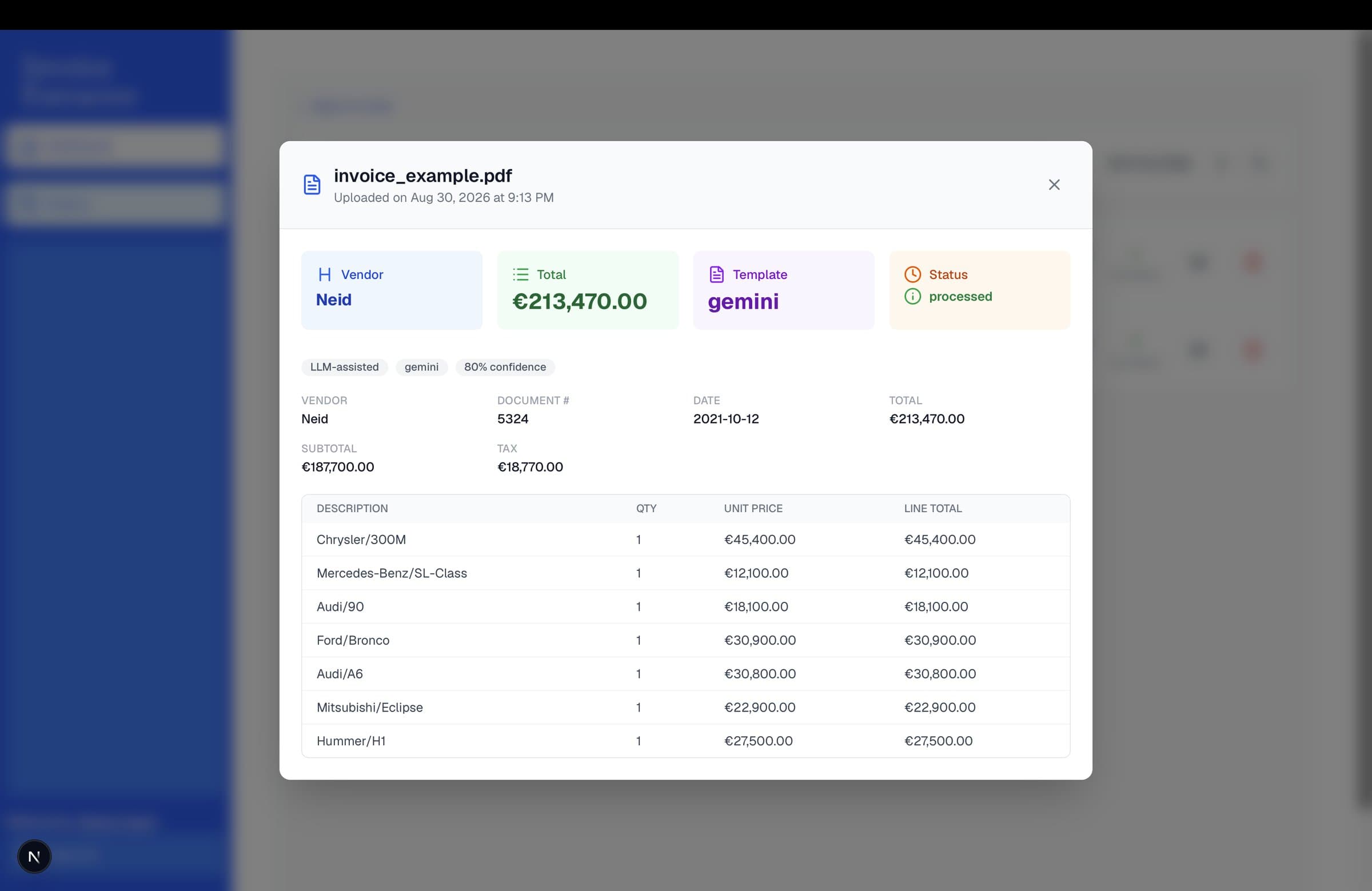
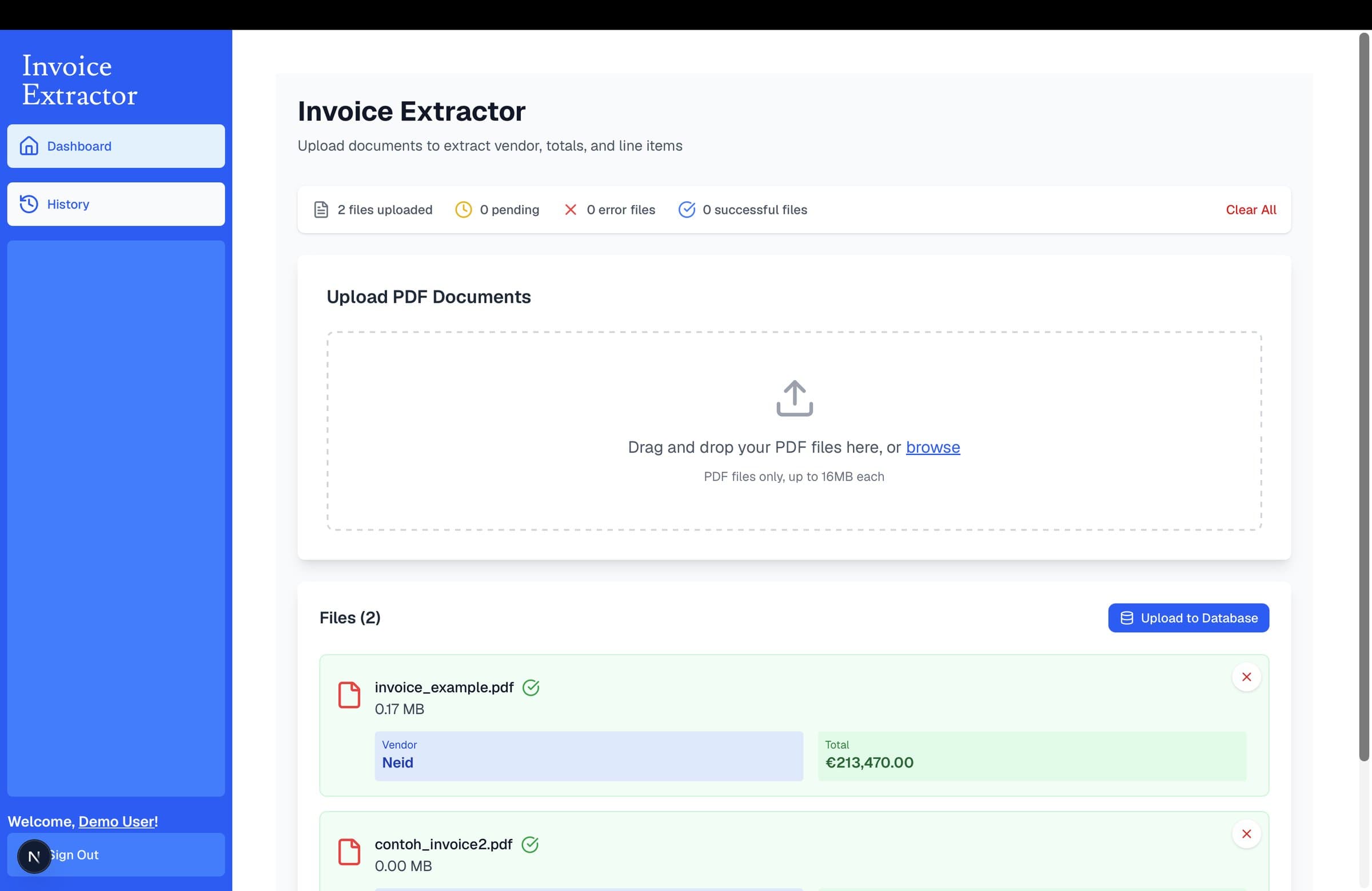
- A web interface for uploading documents and checking extracted fields before they reach the database
Direct contributions
- Sole developer. Built the pipeline end to end and deployed it into daily finance operations.
- Wrote all twelve vendor templates and their field mappers, plus the routing that picks between them.
- Built the OpenCV preprocessing that made skewed mobile photographs of invoices readable by OCR.
- Designed the audit logging so the team reviewed low-confidence extractions instead of re-checking every document.
- Rebuilt a public version from scratch with the company's templates and data removed.
Implementation
Cheapest method that can work, in order
The whole thesis of the pipeline in one function. A known vendor never reaches a model. An unknown one tries the LLM. If that fails for any reason the generic template still runs, because returning nothing is worse than returning something a human can correct.
def run_extraction(pdf_path: str) -> ExtractionResult:
    """Run the full pipeline on a PDF file and return a normalized ExtractionResult.

    Strategy:
    1. If EXTRACTION_MODE=llm is forced, always use the LLM provider.
    2. Otherwise try to match a known vendor template (rule-based, offline, free).
    3. If nothing matches and an LLM key is configured, try the LLM provider.
    4. Fall back to the generic rule-based template so we never return nothing.
    """
    text = extract_pdf_text(pdf_path)
    force_llm = os.environ.get("EXTRACTION_MODE", "rule_based").lower() == "llm"

    if not force_llm:
        template = detect_template(text)
        if template is not None:
            return template.extract(text)

    try:
        return _get_llm_provider().extract(text)
    except LLMProviderError as exc:
        logging.getLogger(__name__).warning(
            "LLM-assisted extraction failed, falling back to generic template: %s", exc
        )

    return GenericInvoiceTemplate().extract(text)
Rupiah and dollars do not agree on what a period means
Rp1.500.000 is one and a half million, not one point five. Indonesian invoices also write a trailing comma-dash to mean no cents. Getting this wrong is a thousandfold error on a total, so currency is detected first and parsing follows from it.
"""Currency detection and locale-aware amount parsing.

Handles the two number-formatting conventions this app has to support:
- US/generic: comma thousands separator, period decimal ("1,234.56").
- Indonesian Rupiah: period thousands separator, comma decimal, and often no
  decimals at all, sometimes written with a trailing ",-" to mean "even amount,
  no cents" ("Rp1.500.000" or "Rp1.500.000,-").
"""

def parse_amount(raw: str | None, currency: str) -> float | None:
    """Normalize a matched amount string to a float, given its detected currency."""
    if raw is None:
        return None

    cleaned = raw.strip()
    if cleaned.endswith(",-"):
        cleaned = cleaned[:-2]

    if currency == "IDR":
        # Period = thousands separator, comma = decimal separator.
        cleaned = cleaned.replace(".", "").replace(",", ".")
    else:
        # Comma = thousands separator, period = decimal separator.
        cleaned = cleaned.replace(",", "")

    try:
        return float(cleaned)
    except ValueError:
        return None
Interface