iOS & Mobile
nectAR: AR Simulation for Teaching Network Routing
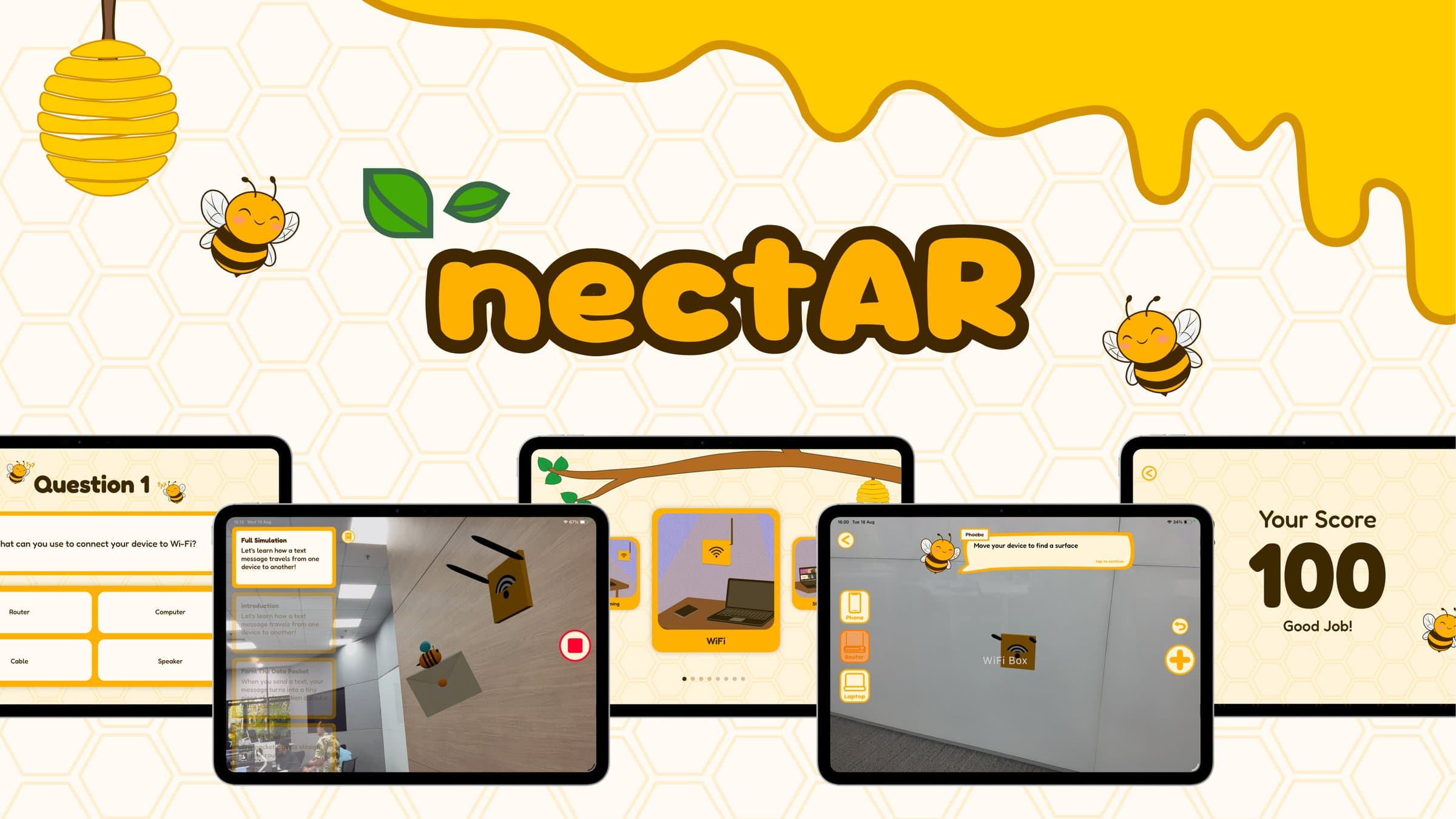
AR app for people learning networking from scratch. It puts a router, a laptop, and a phone on real surfaces in the room, then shows a message travelling between them.
Runs on any ARKit device through horizontal and vertical plane detection, with no LiDAR requirement narrowing the hardware it reaches.
- Swift
- SwiftUI
- RealityKit
- ARKit
- ECS
- simd
Problem
Networking is hard to picture when you are starting out. It gets taught with arrows on a diagram, and the simulators built to teach it properly carry their own learning curve before they teach you anything. Visual learners are left furthest out, because a packet travelling from a phone to a router and on to a laptop is a spatial idea being explained flatly, and router range, the thing that makes where you put the devices matter at all, never comes across on a page.
Solution
Teach the spatial idea spatially. Put the devices on real surfaces in the room and watch the packet travel between them. Range is enforced where you actually placed things, so a laptop too far from the router produces a visible failure instead of a footnote in the text.
Architecture
A RealityKit entity component system driving the scene, an async step sequencer keeping narration and 3D movement together, and SwiftUI view models holding the app state around both.
- Eight components and four systems, covering mascot movement and state, device identity and attributes, router range, and highlight visibility.
- The simulation is an ordered sequence of six steps, each awaiting its own narration and entity movement before the next one starts.
- Placement raycasts against detected planes and gates on distance, so a device cannot be dropped where the simulation would not be able to use it.
- Router range lives on the entity as a component, and a device placed outside it raises a visible range sphere rather than failing quietly.
- Plane detection runs both horizontal and vertical, which is what keeps the app working on ARKit devices without a depth sensor.
Key features
- Place network devices on real horizontal and vertical surfaces in the room
- Watch a packet travel the whole route, or step through one leg at a time
- Router range shown spatially, with an out-of-range device producing a visible failure
- A bee mascot that wanders while you are placing and trails the packet once it moves
- Quiz and scoring to check what actually landed
Direct contributions
- Built most of the simulation sequence, including the scene controller's async step sequencer that keeps narration and entity movement together.
- Wrote the range and failure logic that decides when a device sits outside the router's reach, and what the scene shows when it does.
- Wrote the mascot follow system, one of the four RealityKit systems running in the scene.
- Co-owned the preparation and placement phase, writing the explanation service, the distance gating, and the preparation screen.
- Owned the simulation view model and the state it holds for the AR views, on a team of six.
Implementation
One system, two behaviours, chosen by component
The mascot never asks what the app is doing. It reads its own movement component and state, and the scene decides which of those it carries. Wandering and following are the same system taking different branches, which is the point of component driven design. The last method exists because the bee model was authored facing +Z while RealityKit assumes -Z, so the look-at has to be computed and then reverted before the frame draws.
/// Drives the mascot's position every frame per its MascotMovementComponent pattern:
/// hopping near its spawn while hunting, or trailing the mail packet while guiding.
struct MascotFollowSystem: System {
    private static let mascotQuery = EntityQuery(where: .has(MascotMovementComponent.self))
    private static let mailQuery = EntityQuery(where: .has(RouteComponent.self))

    init(scene: Scene) {}

    mutating func update(context: SceneUpdateContext) {
        for mascot in context.entities(matching: Self.mascotQuery, updatingSystemWhen: .rendering) {
            guard let phase = mascot.components[MascotStateComponent.self]?.phase,
                  let pattern = mascot.components[MascotMovementComponent.self]?.pattern else { continue }

            switch pattern {
            case .idleWander(let center, let radius):
                guard phase == .hunting else {
                    wanderLegs[mascot.id] = nil
                    continue
                }
                updateWander(mascot, center: center, radius: radius)

            case .followOffset(let offset):
                guard phase == .guiding,
                      let mail = Array(context.entities(matching: Self.mailQuery, updatingSystemWhen: .rendering)).first
                else { continue }
                mascot.setPosition(mail.position(relativeTo: nil) + offset, relativeTo: nil)
            }
        }
    }

    private static func facingRotation(at origin: SIMD3<Float>, toward target: SIMD3<Float>, entity: Entity) -> simd_quatf {
        let startTransform = entity.transform
        // The bee asset's authored front is +Z, not RealityKit's -Z default.
        entity.look(at: target, from: origin, relativeTo: nil, forward: .positiveZ)
        let rotation = entity.transform.rotation
        entity.transform = startTransform
        return rotation
    }
}